

Investigations grow into large graphs, and large graphs cost time: re-arranging objects after every addition, chasing cross-graph links that turn out to be irrelevant, and stitching screenshots together to share the result. September’s Crystal Expert releases take that time back. Graphs keep the layout you built, cross-graph links tell you only about the entities you care about, the workspace shows more of the graph, and a whole graph exports as one readable PDF.
Key points
Add addresses and transactions to a graph without disturbing what you have already laid out (auto-pin).
Rearrange one dense part of an investigation and leave the rest untouched (Organize Graph for selected objects).
Get cross-graph link notifications only for the entity types that matter to your case (global cross-graph link settings).
Work with more of the graph on screen (a smaller left panel and a navigation bar you can hide).
Hand over a large graph as one readable, high-resolution PDF (PDF graph export).
Add to a graph without rebuilding it
The layout of an investigation graph is part of the analysis: which cluster sits where, which path leads to the exchange, what you have already ruled out. Until now, adding an address or a transaction could move objects you had positioned, and restoring the picture meant pinning them one by one. That work is gone. Turn on Auto-pin objects and every object already on the visualization is pinned where it is, and every object you add afterwards is pinned as well. When you run Organize Graph, objects may move while the layout is computed and are pinned again once it finishes.
The gain is time and a graph you can trust. A large investigation grows without re-arranging, the layout stays a record of your reasoning, and when you show the graph to a colleague or turn it into a report, it looks the way you left it.
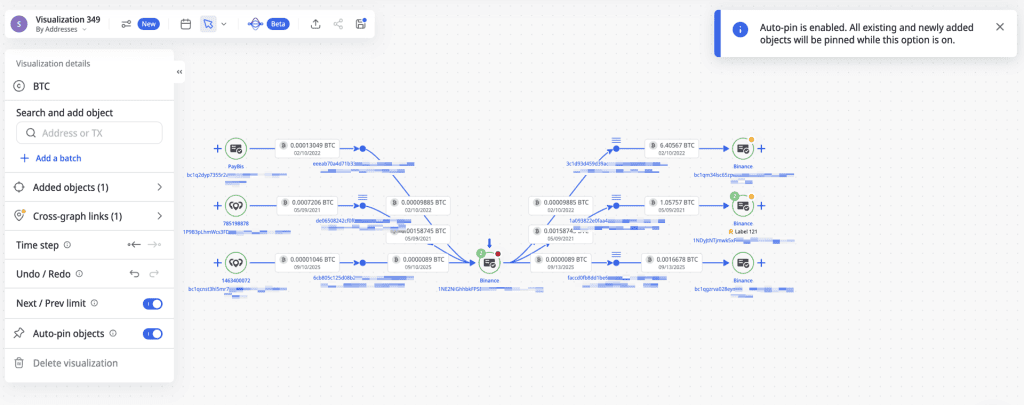
Auto pin objects option in Crystal Expert visualization
Tidy one dense corner and leave the rest of the graph alone
In a long investigation one area of the graph gets crowded while the rest is fine. Organize Graph used to rearrange everything, so cleaning up one corner meant losing the layout everywhere else. Now you select the objects you want to rearrange and run Organize Graph on those alone. The rest of the visualization keeps its layout, including the objects you positioned by hand.
Use it when a cluster of transactions has become hard to read. You tidy the part you are looking at, the overall picture stays as it was, and the time goes into the connections rather than the canvas.
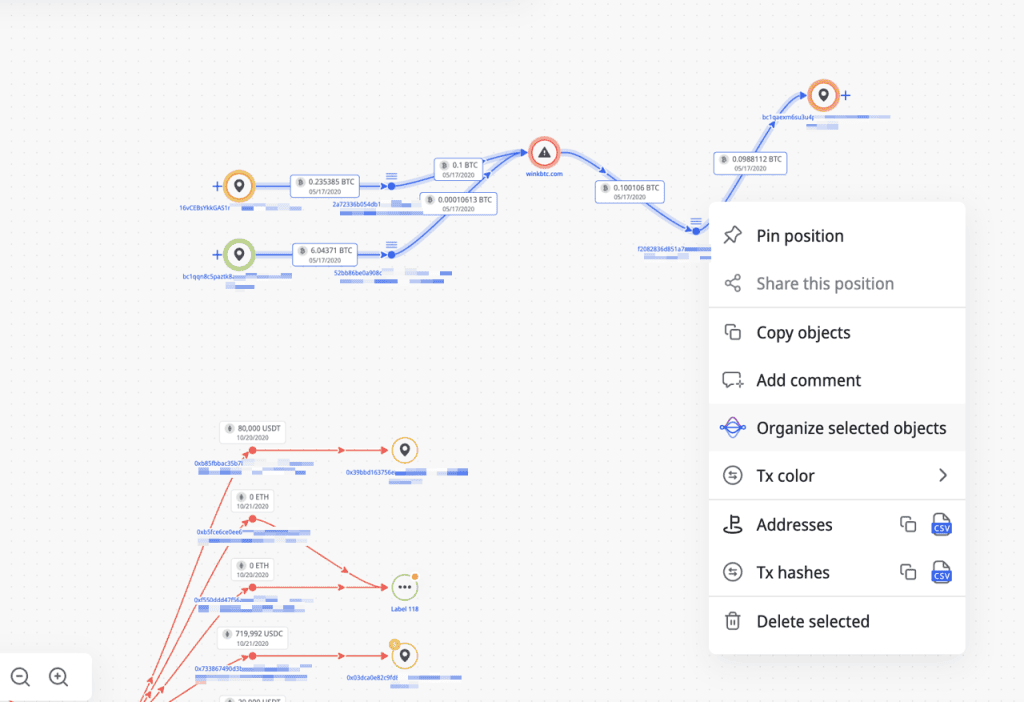
Organize graph applied to selected objects in Crystal Expert visualization
Hear only about the cross-graph links that matter to your case
Cross-graph links tell you when an address on your current graph also appears in other visualizations in your account or your organization’s account. That is one of the fastest ways to find a connection between two cases, as long as the notifications are about entities you care about. September adds a global setting for exactly that. You choose the entity types whose addresses count, and you can include addresses with no known owner by selecting Unnamed entity. Notifications about new cross-graph links then arrive only for addresses that match your selection.
After the release the filter includes all entity types with a risk score above 75% plus unnamed entities by default, so the noisiest matches are off from the start. Narrow it to the entity types your investigations touch, and every link you are told about is one worth following.
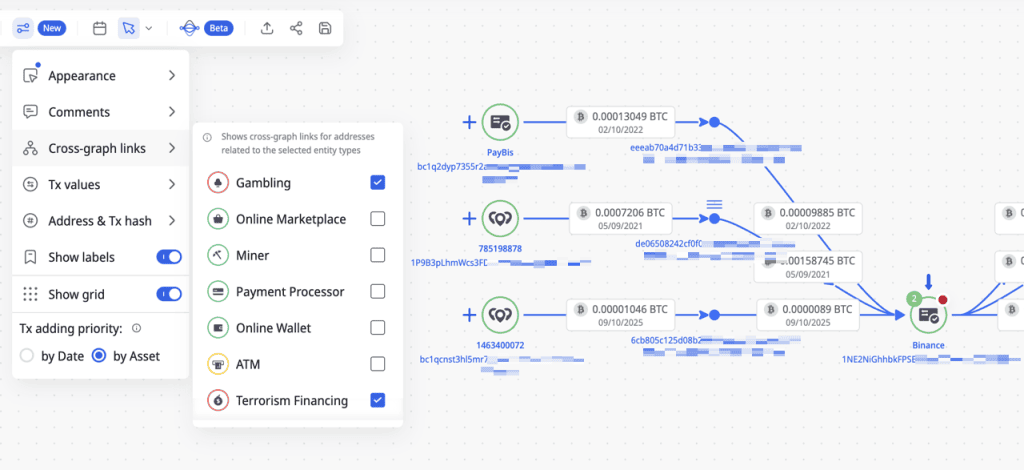
Global cross graph link settings by entity type in Crystal Expert.
See more of the investigation on one screen
On a graph with hundreds of nodes and transactions, screen space decides how much of the case you can read at once. The Visualization workspace now gives the graph more of it: the left panel is smaller, and a new Hide navigation bar option in Settings collapses it when you do not need it. You see more of the graph, keep the whole picture in view, and spend less time zooming and panning between parts of the investigation.
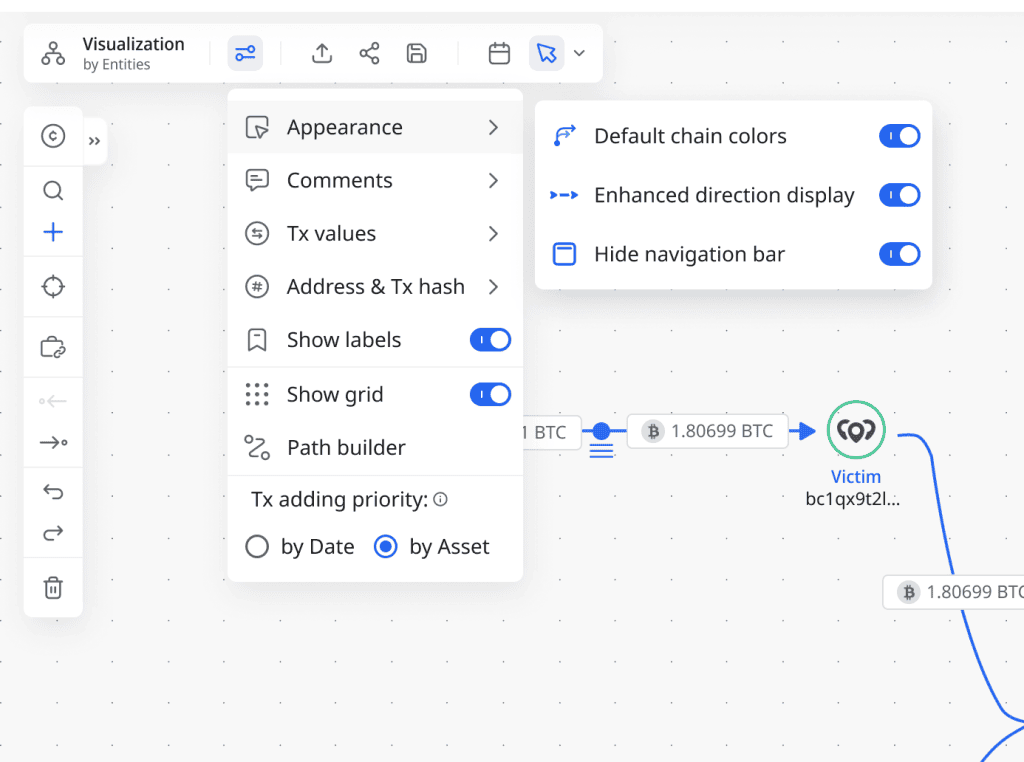
Hide navigation bar setting in Crystal Expert visualization.
Hand over a large graph as one readable PDF
An investigation is only useful once it leaves the screen: to a colleague, a case file, a report, a regulator. For a large graph that used to mean screenshots or a graph cut into pieces, and detail lost on the way. Visualization now exports graphs to PDF in a high-resolution format that stays clear and readable even when the graph is large and complex. The export is built for big graphs: it keeps the structure and the detail of the visualization in one document.
Share it with colleagues and stakeholders, attach it to a case file, or include it in a report or an investigation record, with the same clarity it had on screen.
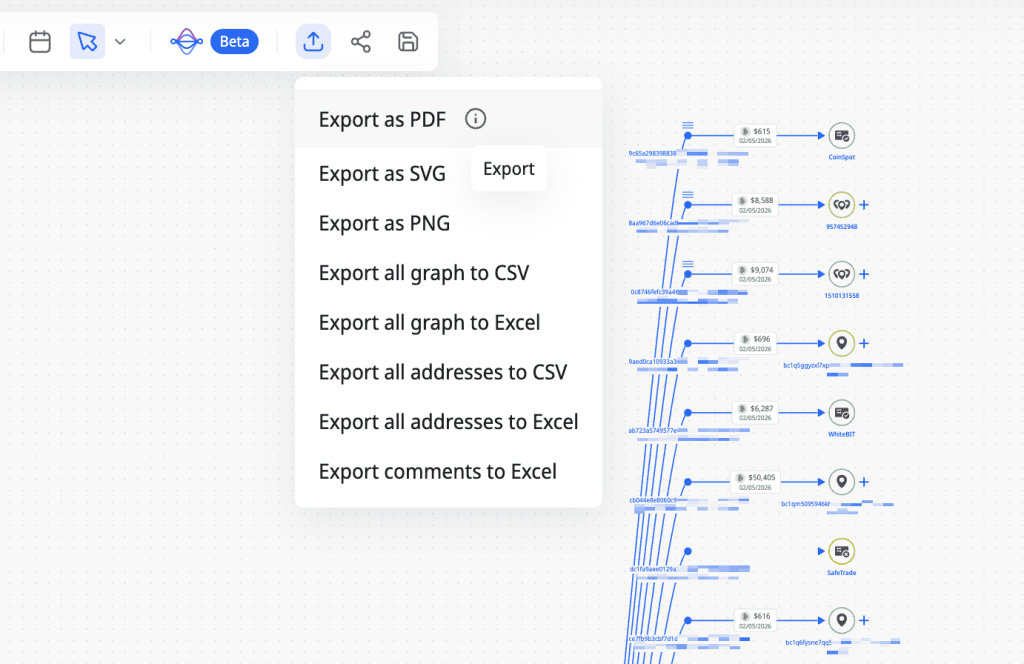
High-resolution PDF export of a graph in Crystal Expert.
See these updates in your own investigations
If you want to see any of these in action on your own cases, or have feedback on them, reach out to your account team or ask for a demo. The September release notes are in the product updates section of the Crystal Expert documentation.